
Welcome to the Lumide user documentation, covering features, workflows, configuration, and shortcuts.
Overview#
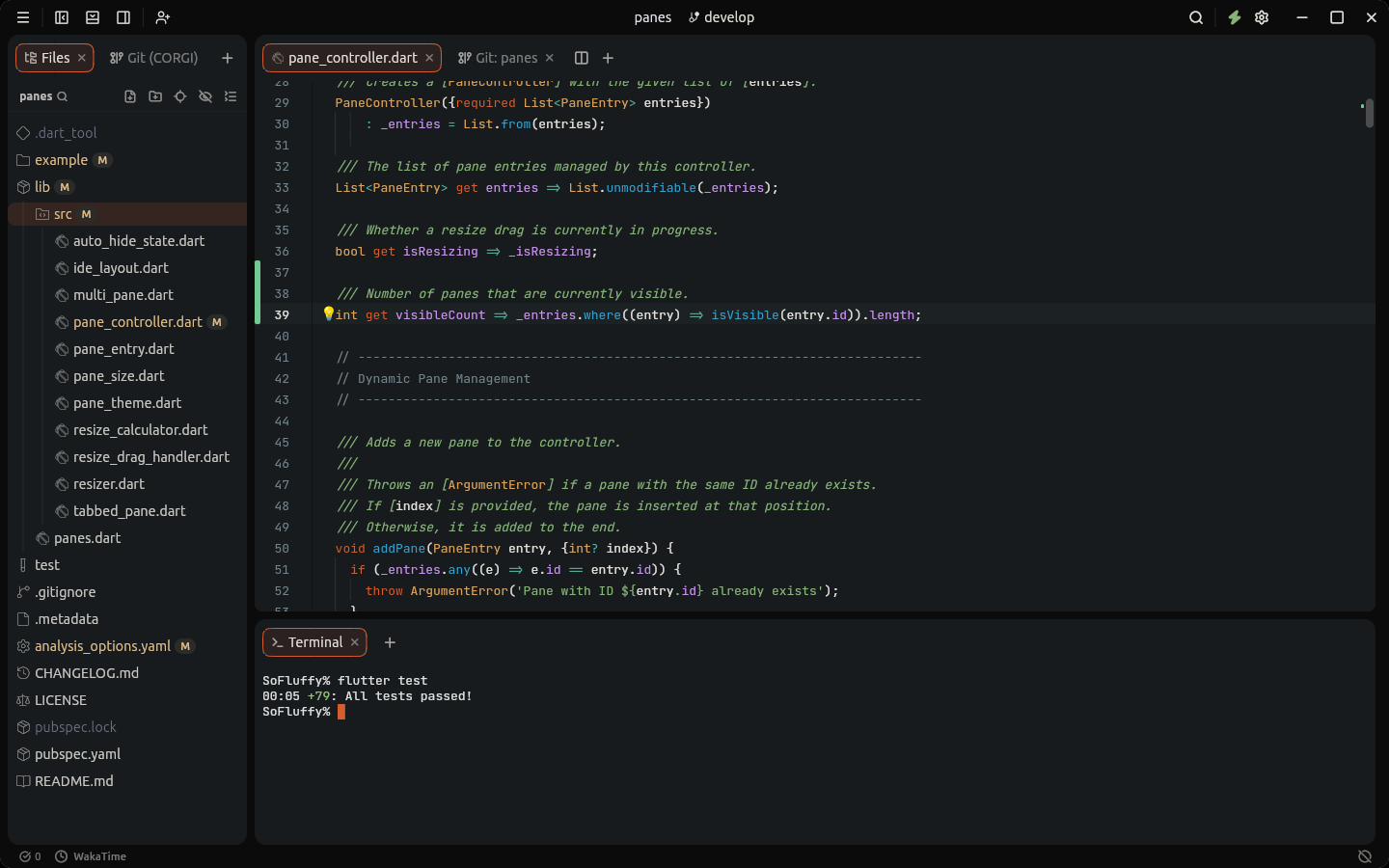
Quick Navigation#
Detailed User Guides#
Getting Started#
- Introduction to Lumide — Architecture, text engine, and built-in capabilities.
- Installation Guide — Installing on macOS, Windows, and Linux; terminal integration.
- First-Run Setup — Onboarding wizard, keymap selection, themes, and SDK discovery.
- User Interface Tour — Visual anatomy of the TopBar, Dockable Pane Regions, Tabs, and Status Bar.
The Code Editor#
- Editor Fundamentals — Large file performance, cursor styles, soft wrap, and line numbers.
- Multi-Cursor Editing — Adding multiple cursors, column selection, and smart paste distribution.
- Code Folding — Collapsing syntactic blocks, imports, and comments with gutter chevrons.
- Find & Replace — In-file search, regular expressions, capture group replacement, and match navigation.
- Formatting & Indentation — Tabs vs. spaces, auto-indent, auto-pairs, and format-on-save.
- Code Snippets — TextMate templates, interactive tab-stops, choice dropdowns, and variables.
- Markdown Live Preview — Synchronized split preview for GitHub Flavored Markdown.
Navigation & Search#
-
Quick Open & Commands — Fuzzy file navigation (
Cmd+Shift+O/Ctrl+Shift+Ndefault, or double-tapShift), Command Palette (Cmd+Shift+P/Ctrl+Shift+PorCmd+Shift+A), and Go to Line (Cmd+L/Ctrl+G). - Project-Wide Search — Fast multi-file search and replace powered by background isolates.
- Navigation History — Jumping backward and forward through your editing breadcrumbs.
Panes & Workspaces#
- Split Panes & Layouts — Four dockable regions, 40px edge drop-zones, universal tabs, and multi-view buffers.
- Tabs & Editor Groups — Universal tab types, pinning, context actions, and duplicate path disambiguation.
- Hot Exit & Session Recovery — Seamless crash recovery and persistent unsaved buffer backups.
- Remote Development over SSH — Open a folder on another machine and work as if it were local.
- Sharing a Workspace — Edit together with people on your local network, or anywhere through a relay.
- Local History — Automatic point-in-time file revision snapshots and one-click restoration.
- Workspaces & Loose Files — Project folders, recent projects switcher (File -> Recent Projects...), and single-file editing.
- Multi-Root Workspaces — Several folders in one window, with one file tree, search and set of language servers.
Language Intelligence (LSP)#
- Language Server Protocol Overview — Compiler-backed intelligence across 40+ languages.
- Code Completion — IntelliSense suggestions, symbol documentation preview, and auto-imports.
-
Hover & Definitions — Hover tooltips, Go to Definition (
F12), implementations, and type hierarchy. -
Diagnostics & Problems — Real-time compiler errors, lint warnings, and automated Quick Fixes (
Option+Enter/Alt+Enter). - Flutter & Dart Support — Deep Dart VM integration, Hot Reload, widget refactoring, and package resolution.
AI Code Assistant#
- AI Assistance & Agent Chat — Autonomous ACP coding agents, tool approvals, interactive diffs, and inline ghost text.
Version Control with Git#
- Editor Git Features — Gutter color bars, Diff Block Popups, and inline Git blame annotations.
- C.O.R.G.I. Git Client — Interactive visual commit graph, branch lanes, hunk staging, and commit composer.
- Diff & Comparison Viewer — Side-by-side split and unified diffs with intra-line word highlighting.
- Merge Conflict Resolution — Clean single-pane inline conflict editor with gutter resolution actions.
- Stashes & Branch Management — Creating, applying, and dropping stashes; branch switching and tracking.
Debugging & Running#
- Debugger Overview & Controls — Debug Adapter Protocol (DAP), execution toolbar, call stack, variables, and output logging.
-
Launch Configurations — Authoring
.sofluffy/lumide/launch.json, variable interpolation, and VS Code import. - Breakpoints & State Inspection — Line breakpoints, verification status, bulk toggles, and scoped variable inspection.
Integrated Terminal#
- Integrated Terminal — GPU-accelerated multi-tab terminal, shell profiles (zsh, bash, PowerShell), and split sessions.
Vim Modal Emulation#
-
Vim Mode Guide — Modal state machine, text objects, operators, motions, Ex commands, and
.vimrcloading. - Vim Cheatsheet — Exhaustive command and motion quick reference.
Customization & Settings#
- Settings & Configuration — Visual settings editor, User vs. Workspace scopes, and full options guide.
- Themes & Appearance — Color themes, dual dark/light auto-switching, icon packs, and custom wallpaper.
- Keyboard Shortcuts & Keymaps — Presets (JetBrains, VS Code, Sublime), custom chords, and interactive recorder.
- SDK Manager — Managing, downloading, and switching Flutter and Dart SDK versions.
Plugins & Extensions#
- Plugins & Marketplace — Browsing extensions, one-click installation, permissions, and process-isolated architecture.
License#
Lumide is free software: you can redistribute it and/or modify it under the terms of the GNU Affero General Public License, version 3 or (at your option) any later version. Anyone who distributes Lumide, or runs a modified version as a network service (including
lumide_server), must publish the complete source under the same license.
Copyright (C) 2026 Simon Pham.
Some parts keep their own licenses:
pub_packages/lumide_api(the plugin SDK) is MIT, so plugins can use any license.-
Third-party packages (
xterm.dart,flutter_pty2,acp_dart,sofluffy_design_system) keep the licenses in their folders.