
Lumide features a GPU-accelerated terminal emulator built directly into the bottom pane system.
Opening the Terminal#
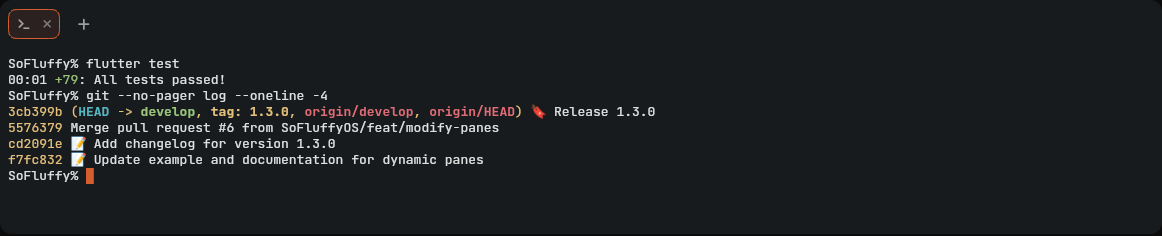
- Press `Ctrl + `` to toggle the terminal panel open or closed.
-
Or toggle the bottom panel with
Cmd + 2(macOS) /Alt + 2(Windows/Linux) orAlt + F12(orCmd + J/Ctrl + Jin VS Code preset). - Opens in the folder of the file you are editing, else in the workspace's first folder.
- Open in Terminal on a folder in the Files tree opens a terminal there.
- New Terminal in Folder... in the Command Palette asks which workspace folder to open a terminal in, when the workspace has several.
Sessions, Tabs & Links#
-
New Terminal: Click
+on the tab bar, or pressCmd + T/Ctrl + T(orCmd + N/Ctrl + N) while terminal is focused. -
Find in Terminal: Press
Cmd + F/Ctrl + Fto search through terminal output history (supports regex, whole word, and case sensitivity). -
Interactive Links: Hold
Cmd(macOS) orCtrl(Windows/Linux) and click any URL to open in browser, or click a file path (file:line:col) to jump directly to that line in the editor. - Split Terminal: Drag a terminal tab to any pane edge or use the pane drop zones to split side-by-side.
-
Close Session: Type
exit, click the close tab button, or pressCmd + W/Ctrl + W. - Multiline Paste Guard: Pasting text containing multiple lines or control sequences displays a confirmation modal to prevent accidental command execution.
Shortcuts (Terminal Focus)#
| Action | macOS | Windows / Linux |
|---|---|---|
| Toggle Terminal | `Ctrl + `` | `Ctrl + `` |
| New Terminal Tab | Cmd + T / Cmd + N |
Ctrl + T / Ctrl + N |
| Close Terminal Tab | Cmd + W |
Ctrl + W |
| Find in Terminal | Cmd + F |
Ctrl + F |
| Next Terminal Tab | Ctrl + Tab |
Ctrl + Tab |
| Prev Terminal Tab | Ctrl + Shift + Tab |
Ctrl + Shift + Tab |
| Clear Buffer | Right-click -> Clear | Right-click -> Clear |
Shell Profiles & Settings#
Configured under Settings -> Terminal:
-
Environment Shell (
terminal.shell_path): Shell used to discover environment variables at startup. -
Font Size (
terminal.font_size): Terminal font size (default:13). -
Font Family (
terminal.font_family): Monospace font family (default:"JetBrains Mono"). - Default Profile (
terminal.default_profile): Active shell profile name. -
Profiles (
terminal.profiles): Named terminal configurations with custom executable paths, arguments, and environment variables.
Next Steps#
- Vim Emulation Mode — Modal keybindings.
- Vim Cheatsheet — Complete motion and operator index.