
Quickly inspect types, documentation, and symbol declarations across your project.
Hover Tooltips#
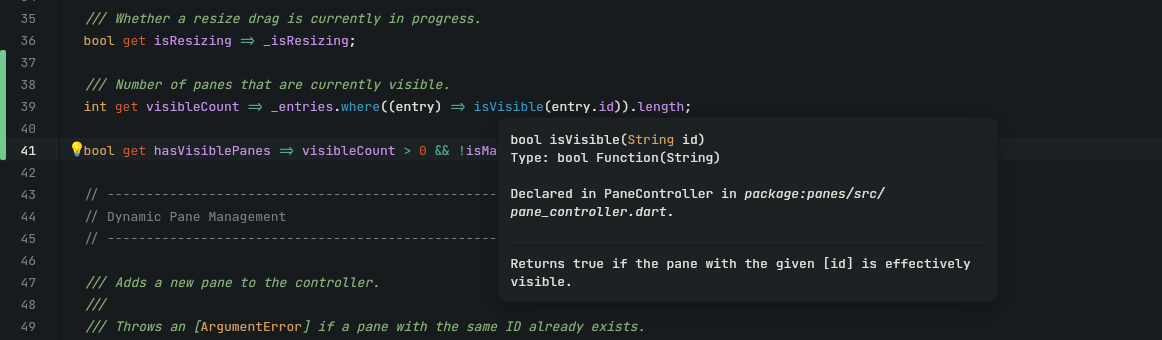
Hover over any identifier to reveal its type declaration, function signature, and markdown doc-comments.
Go to Definition (F12 / Cmd + Click)#
Jump to the declaration of a symbol:
- Press
F12on the symbol. -
Or hold
Cmd(macOS) /Ctrl(Windows/Linux) and click the symbol.
External SDK & Package Sources#
If the symbol is defined in an external dependency or SDK library:
- Lumide opens the file in a new editor tab.
- Displays a
🔒 Read-Onlylock indicator in the tab bar. -
Jump back using Navigation History:
Cmd + [(macOS) /Ctrl + Alt + Left(Windows/Linux).
Document Symbols (Cmd + F12 / Ctrl + F12)#
Press Cmd + F12 (macOS) or Ctrl + F12 (Windows/Linux) to open the file outline popup and jump to classes, methods, or variables in the current document.
Type Hierarchy & Implementations#
-
Supertype Gutter Icon (
↑): Marks overridden methods or inherited types. Click to jump to the parent declaration. -
Subtype Gutter Icon (
↓): Marks classes or methods extended by child implementations. Click to view all subclasses or overriding methods.
Next Steps#
- Diagnostics & Problems — Manage errors and warnings.
- Flutter & Dart Support — Specialized Flutter tooling.